Recipes, 4 min read
How to organise your recipes when they're scattered across ten places
A practical system for pulling recipes out of screenshots, bookmarks, notes and cookbooks into one searchable collection — and the folder structure that actually holds up.
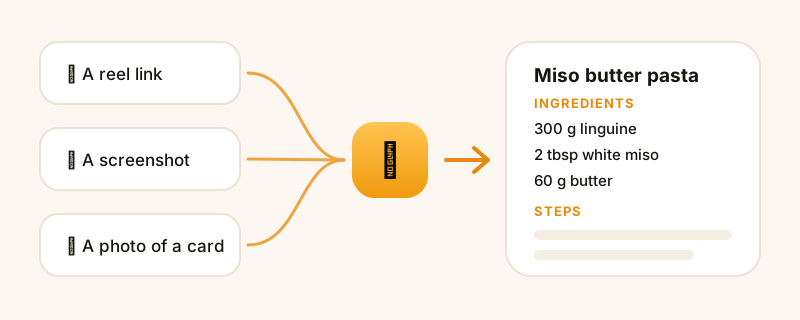
Count where your recipes live right now. For most people it's something like: Instagram saves, a TikTok favourites folder, 60 screenshots in the camera roll, browser bookmarks, a note called "recipes" with four entries, two cookbooks with folded corners, and a card in your mum's handwriting in a drawer.
That's not a collection. That's a search problem you re-solve every time you're hungry.
Here's how to consolidate it in an evening, and how to file things so it doesn't come apart again in three months.
Step 1: Accept that you won't migrate everything
The instinct is to sit down and import all 400 saves. You won't finish, and most of them don't deserve the effort — a good share of anyone's saved recipes are aspirational.
Do this instead: migrate the ones you've actually cooked, plus the ten you keep meaning to. That's usually 20-30 recipes and it covers the vast majority of what you'll make this year. Everything else stays where it is, and you pull it across the day you decide to cook it.
Step 2: Get everything into text
A recipe you can't search isn't organised, it's just stored. Every item needs to become words:
- Screenshots and photos — use a recipe app that reads text out of an image, or type out the ingredients if it's short.
- Video posts — check the caption and pinned comment first (here's the full method for TikTok and for Instagram).
- Websites — paste the URL into a recipe app rather than bookmarking, so you get the recipe and not the 1,500-word story about the author's trip to Sicily.
- Cookbooks and handwritten cards — photograph them. This is the one worth doing carefully, because those are the recipes you can't re-find on the internet.
Step 3: Use a folder structure based on when you cook
Most people's first instinct is to file by cuisine — Italian, Mexican, Thai. It looks tidy and it's almost useless, because "what cuisine do I want" is not the question you ask at 6pm. The question is "how much time and energy do I have".
A structure that survives contact with real life:
- Weeknight — under 40 minutes, no special shopping
- Weekend — longer, more fun, some project cooking
- Feeding people — things that scale and impress
- Baking
- Keepers — the family recipes and the ones you've cooked ten times
Five folders. That's it. The instinct to add fifteen more is the instinct that makes the system collapse — every extra folder is another decision at filing time.
If you want cuisine as well, use tags rather than folders. A recipe can be tagged Italian and Weeknight; it can only live in one folder without duplication.
Step 4: Make the notes as valuable as the recipe
The reason a family recipe card beats a website is the pencil in the margin: "double the garlic", "needs 15 min longer in our oven", "Ben doesn't like the fennel".
Whatever tool you use, make sure you can edit the recipe itself, and get in the habit of amending it the moment you finish cooking. After three cooks, your version is better than the original — and that accumulated knowledge is the actual asset. It's also the single strongest argument against leaving recipes as bookmarks to other people's websites, which you can't annotate at all.
Step 5: Connect it to your shopping
The final step is the one that makes the whole thing stick. An organised recipe collection that isn't wired into your shopping list is a museum — nice to browse, not part of your week.
Once your recipes are structured data rather than screenshots, picking three for the week should produce one merged, aisle-sorted shopping list without you writing anything down. That's the moment the filing pays for itself, and it's why the "get it into text" step matters so much.
The tools, honestly assessed
A notes app — free, fully under your control, searchable. You do all the formatting and all the shopping-list merging by hand. Perfectly good if you cook the same fifteen things.
Bookmarks — near-zero effort, near-zero payoff. You still land on the original page with its ads and its life story, and there's nothing to merge or annotate.
A spreadsheet — surprisingly popular, genuinely powerful for filtering. Miserable to read on a phone in a kitchen.
A recipe app — parses links and photos into structured recipes, searches by ingredient, and builds the shopping list. That's what CookinBuddy does: paste from anywhere, file it in a folder, and let the grocery list assemble itself. Free on iPhone.
Doing it this weekend
- Pick your five folders.
- Import the 20-30 recipes you actually cook.
- Photograph any handwritten cards before anything happens to them.
- Plan next week from what you imported, and let the shopping list generate.
- Leave the other 380 saves where they are. Pull them across one at a time, on the day you decide to cook them.
An hour, once, and the 6pm question gets a lot easier to answer.