Recipes, 4 min read
How to save recipes from Instagram (so you can actually find them again)
Four ways to save Instagram recipes — collections, screenshots, notes apps, and a recipe app that pulls out the ingredients — and which one holds up when you're standing in the kitchen.
You save a pasta reel at 11pm. Three weeks later you want to cook it, and it's somewhere in a folder with 400 other saved posts, none of which have titles. You scroll. You give up. You order takeaway.
This is the single most common way recipes get lost, and it isn't a discipline problem. Instagram's save feature was built for remembering a post, not for cooking a dish. Those are different jobs.
Here are the four realistic options, in order of how well they hold up at 6pm on a Tuesday.
1. Instagram Collections (free, but only a filing cabinet)
Instagram lets you group saved posts into named collections. Tap and hold the bookmark icon under a post, then pick or create a collection like "Dinners" or "Bake this".
How to do it:
- Tap the bookmark icon under the reel.
- Hold the bookmark icon instead of tapping — the collection picker opens.
- Create a collection: "Weeknight dinners", "Baking", "Impress people".
Where it falls down: the recipe is still trapped in the video. You can't see the ingredient list without watching the whole thing, you can't search for "the one with the miso butter", and you definitely can't take it shopping. Collections make your saves tidier, not usable.
2. Screenshots (fast, and instantly a mess)
Screenshotting the caption works when the creator wrote the full recipe out. It takes two seconds and needs no apps.
The problem is your camera roll. A screenshot has no title, no tags, and no ingredient list your phone can read. Six months in you have 90 nearly identical images of white text on a dark background. Searching your photos for "chicken" will not find them.
Screenshots are a fine capture method. They're a terrible storage method — which is why the best approach is to screenshot, then immediately move it somewhere structured.
3. Copy the caption into a notes app (free and searchable)
Paste the caption into Notes, Google Keep, or a doc. Now it's text, so it's searchable, and you can edit it — halve the sugar, note that it needs 40 minutes not 25.
This genuinely works. It's what a lot of very organised cooks do. The friction is that you're doing the formatting by hand every single time: separating ingredients from steps, deleting the "FULL RECIPE BELOW ⬇️⬇️" and the hashtags, fixing the line breaks. About 90 seconds a recipe. Do it for 40 recipes and it's an hour of admin.
And it still doesn't help you shop. If you're cooking three of those recipes this week, you're merging three ingredient lists by hand.
4. Send it to a recipe app (the ingredients come out as data)
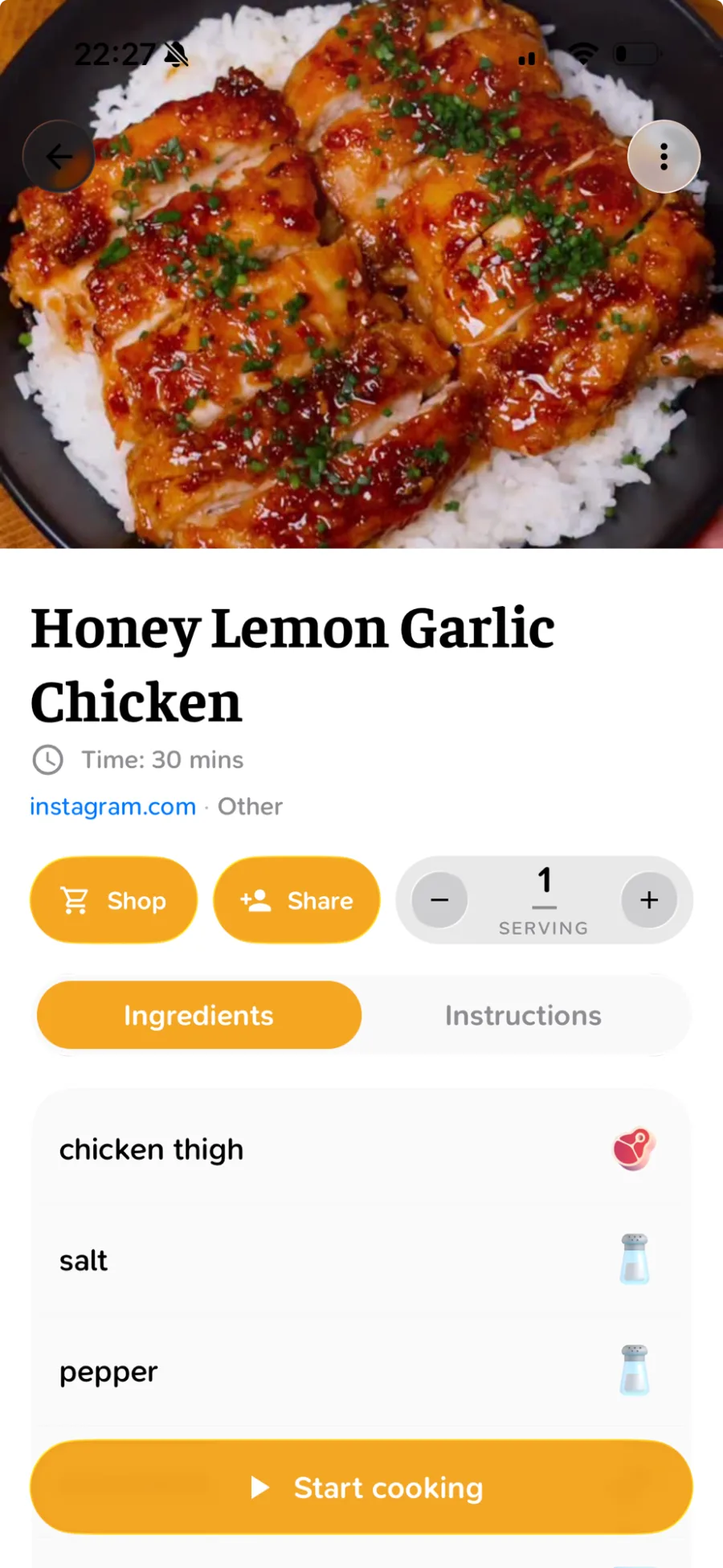
A recipe app that parses the post reads the caption and turns it into structured fields — ingredients as a list, steps as steps, servings as a number it can scale.
That difference matters more than it sounds. Once the ingredients are data rather than a wall of text, the app can:
- merge them across recipes into one shopping list
- scale them when you're cooking for six instead of four
- search them, so "what can I make with the ricotta" is an answerable question
- read them aloud while your hands are covered in flour
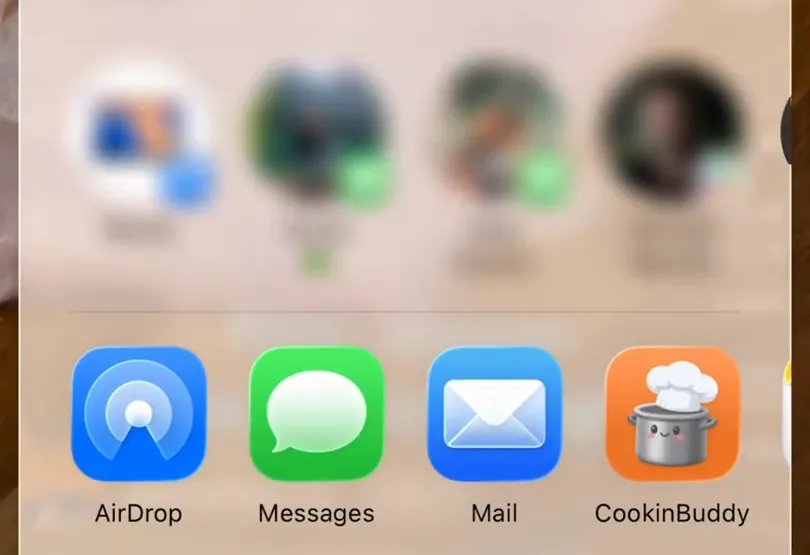
With CookinBuddy you paste the link — or share the post straight from Instagram — and the recipe lands in your kitchen with the ingredients already separated out.
Then when you pick a few recipes for the week, the grocery list builds itself, sorted the way you walk the store.
Which one should you use?
| You want to… | Use |
|---|---|
| Remember a post exists | Instagram Collections |
| Grab something in two seconds | Screenshot, then file it properly later |
| Keep full control, no new apps | Notes app, pasted caption |
| Cook from it and shop from it | A recipe app that parses the post |
A note on recipes that don't have a caption
Plenty of creators put the recipe only in the video, or only in the comments, or in a link-in-bio that goes to a site with eleven ad units.
Three things that help:
- Check the pinned comment first. Creators very often drop the full recipe there.
- Photograph the on-screen text. If the ingredients flash up in the video, pause and screenshot — good recipe apps can read text out of a photo.
- Ask. A polite "would you mind sharing the quantities?" works surprisingly often.
The rule that actually keeps recipes findable
Whatever tool you land on, one habit does most of the work:
Capture and file in the same motion. The recipe you'll cook is the one that was already sorted when you found it.
The gap between "saved it" and "organised it later" is where recipes die. If filing takes more than a few seconds, you will not do it at 11pm, and the reel is gone.
That's the whole reason CookinBuddy exists: paste, and it's filed. It's free on iPhone — and if you're wrangling TikTok saves too, the same approach works there.
Other questions
- How do I save recipes from Instagram Reels?
- Tap the bookmark icon to add the Reel to a Saved collection, or tap Share and send it to a recipe app. A collection keeps the video; a recipe app gives you the ingredients and steps as text you can search and shop from.
- How do I save Instagram recipes for free?
- Save the post to a collection named Recipes, then copy the caption into your notes app the same day. It's free and it works; the downside is tidying each recipe by hand.
- How do I save Instagram recipes on iPhone?
- Tap Share on the post or Reel and pick a recipe app from the iOS share sheet, or copy the link and paste it into the app. CookinBuddy imports the link as a structured recipe.
- How do I save an Instagram recipe to Notes?
- Open the post, copy the caption text, and paste it into a new note. If the recipe is only in the video, screenshot the frames that show the quantities and add them to the note.
- Why can't I find my saved Instagram recipes?
- Instagram's Saved tab has no search, so once you have a few hundred saves you have to scroll. Moving the ones you'll actually cook into a searchable recipe app fixes that.